
Download Text Reader – Free Text-to-Speech Software for Windows, Mac, Android & iOS
Text Reader is a powerful, accessible, and free text-to-speech application designed for Windows 10 users and beyond. Whether you're a student, professional, or someone with visual impairments, this software transforms written content into natural-sounding speech, making reading easier and more inclusive. With support for multiple file formats including TXT, DOC, PDF, HTML, and emails, Text Reader ensures you can access your documents anytime—online or offline.
The app features real-time text highlighting, customizable voice options, adjustable reading speed, and the ability to save audio files for later playback. You can install Text Reader on up to ten devices, including Windows PCs, Macs, Android phones, and iOS tablets, all at no cost. Its intuitive interface and lightweight design make it ideal for multitasking—listen to a research paper while cooking or commuting.
The software also integrates with accessibility tools, enhancing its utility for users with dyslexia or low vision. With regular updates and a secure download process, Text Reader stands out as one of the best free text readers available in 2024.
Key Features of Text Reader
Text Reader delivers a comprehensive suite of features tailored for both casual users and accessibility advocates. One of its standout capabilities is real-time text-to-speech conversion with synchronized highlighting. As the software reads aloud, it automatically highlights the current line or word, helping users follow along visually—ideal for learners and those with reading difficulties. The app supports multiple voices across various languages, allowing users to choose between natural-sounding male, female, and even robotic voices based on preference and use case. Whether you're reading academic papers, emails, or web content, you can adjust the reading speed to match your comprehension level, from slow and deliberate to fast and fluent.
Another valuable feature is the ability to save spoken text as audio files (MP3 or WAV format), which can be used for offline listening, sharing, or archiving. This is particularly useful for students who want to review lecture notes on the go. Text Reader also supports batch processing, meaning you can load multiple documents and let the software read through them sequentially without manual intervention.
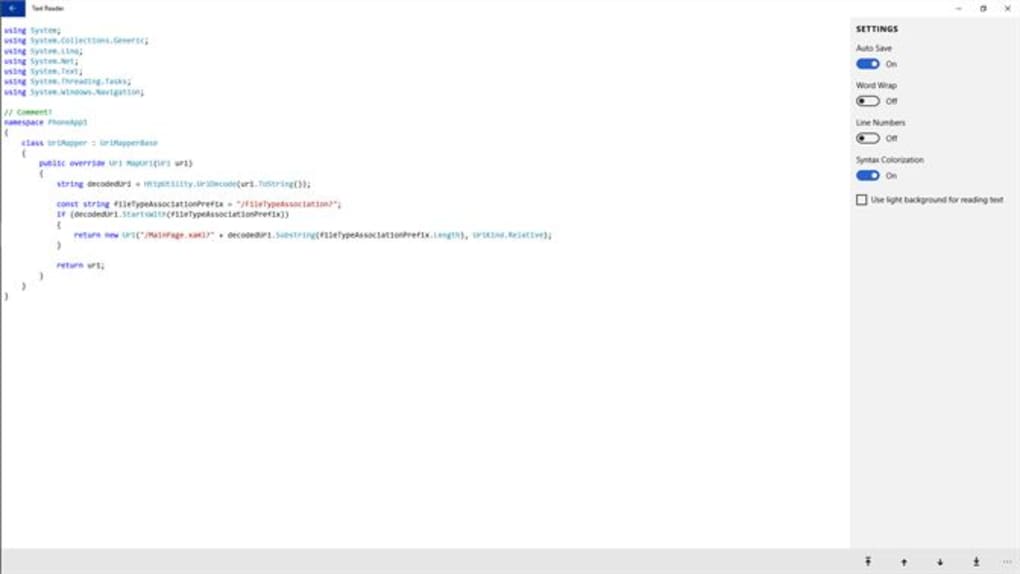
The app is fully offline-capable, ensuring privacy and uninterrupted use even without internet access. It integrates seamlessly with screen readers and assistive technologies, making it a reliable choice for visually impaired users. Additionally, the interface is clean and distraction-free, focusing solely on reading and listening, with minimal clutter.
For those who prefer keyboard shortcuts, the app offers customizable hotkeys for starting, pausing, and adjusting playback. With regular updates and a growing list of language options, Text Reader continues to evolve as a top-tier free tool for digital accessibility.
How to Install and Use Text Reader on Windows, Mac, Android & iOS
Installing Text Reader is a straightforward process, regardless of your device. For Windows 10 users, visit the official website and download the installer file (typically a .exe). Run the file, follow the on-screen prompts, and allow the app to install.
Once installed, launch Text Reader and grant necessary permissions for microphone and audio access if prompted. For Mac users, download the .dmg file, open it, and drag the app into the Applications folder. After installation, open the app from your Applications directory and enable accessibility permissions in System Settings under Privacy & Security.
For Android users, head to the Google Play Store and search for "Text Reader." Download and install the app. Upon first launch, grant audio and storage permissions. The app will automatically detect text from your clipboard, documents, or by pasting content directly.
iOS users can find Text Reader on the App Store—search the name, download, and install. After installation, go to Settings > Accessibility > Speech and enable the required permissions. Once set up, you can use the app by copying text from emails, web pages, or documents and pasting it into Text Reader, or by opening files directly from your device’s file manager.
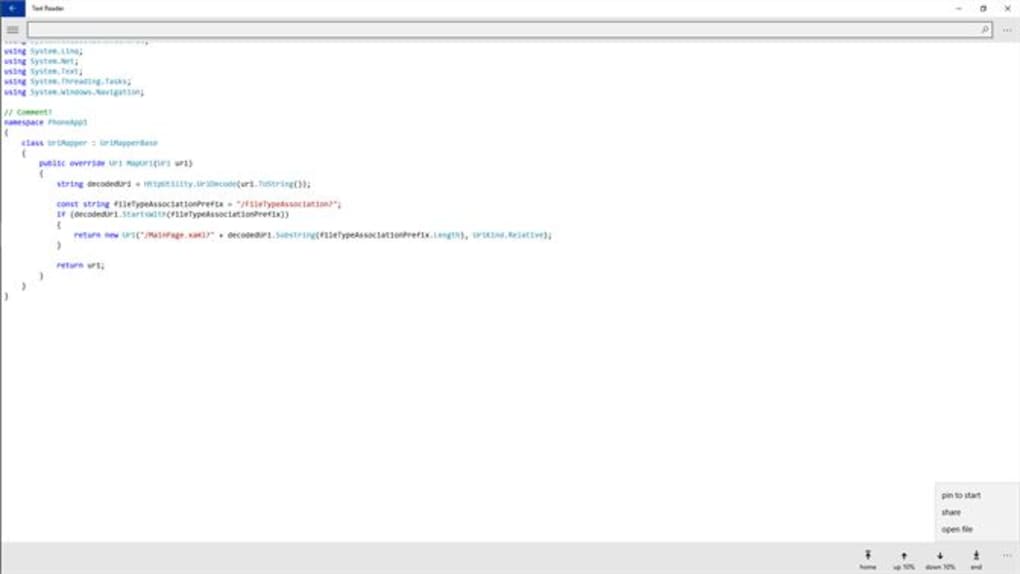
Using the app is intuitive. Simply open a document or paste text, select your preferred voice and reading speed, and click "Play." The software will begin reading aloud while highlighting the text in real time. You can pause, resume, or skip forward/backward using the playback controls.
To save the audio, click the "Save as MP3" button and choose a location. For advanced users, the app supports file import from cloud services like Google Drive and Dropbox, making it easy to access your documents across devices. Regular updates ensure compatibility with new OS versions and improved performance, so your experience stays smooth and secure.
Compatibility and System Requirements
Text Reader is built with cross-platform compatibility in mind, supporting a wide range of operating systems. The software is fully compatible with Windows 7, 8, 10, and 11, including both 32-bit and 64-bit versions. For Mac users, Text Reader works on macOS 10.14 (Mojave) and later, including Apple Silicon (M1/M2) Macs, ensuring smooth performance on modern hardware. On mobile devices, the app is available for Android 6.0 (Marshmallow) and above, as well as iOS 12 and later, making it accessible to most smartphone and tablet users.
System requirements are minimal, allowing the app to run efficiently even on older devices. On Windows and Mac, you’ll need at least 1 GB of RAM and 50 MB of free disk space. The app does not require a powerful processor or dedicated graphics card, making it suitable for low-end laptops and desktops.
Audio output is handled through standard system speakers or headphones, so no additional hardware is needed. For Android and iOS, the app requires a device with a modern processor and at least 2 GB of RAM for optimal performance. All versions of Text Reader are free to download and use, with no ads or in-app purchases.
The software is updated regularly to maintain compatibility with new OS updates and security patches, ensuring long-term usability.
One of the key advantages of Text Reader is its ability to function offline. Once installed, you can read and listen to documents without an internet connection—perfect for travel, remote work, or privacy-conscious users. The app also supports file formats such as TXT, DOC, DOCX, PDF, HTML, and RTF, giving you flexibility across different types of content. Whether you're working on a research paper, reviewing a contract, or studying for an exam, Text Reader ensures your documents are accessible anytime, anywhere.
Pros and Cons of Text Reader
- Pros:
- Free to download and use on up to ten devices
- Supports multiple file formats (TXT, DOC, PDF, HTML, etc.)
- Real-time text highlighting with speech
- Multiple natural-sounding voices and language support
- Adjustable reading speed and playback controls
- Offline functionality with no internet required
- Ability to save audio files (MP3/WAV) for later use
- Lightweight and fast performance on all devices
- Excellent for students, professionals, and visually impaired users
- Cons:
- Advanced editing features (like full text editing) are limited
- Some users may find the interface slightly basic compared to premium tools
- No built-in cloud sync across devices (manual transfer required)
- Voice quality varies slightly between languages and platforms
- Occasional lag with very large PDF files (over 500 pages)
Frequently Asked Questions (FAQ)
- Is Text Reader completely free to use?
- Yes, Text Reader is completely free to download and use on up to ten devices. There are no hidden fees, ads, or in-app purchases. You can enjoy all core features—text-to-speech, highlighting, audio saving, and offline use—without cost.
- Can I use Text Reader on my Android and iOS devices?
- Yes, Text Reader is available for both Android and iOS. You can download it from the Google Play Store and Apple App Store, respectively. The app offers the same core functionality across platforms, including text highlighting, multiple voices, and audio export.
- Does Text Reader work offline?
- Yes, Text Reader functions fully offline. Once installed, you can read and listen to documents without an internet connection. This ensures privacy and uninterrupted use, especially useful during travel or in low-connectivity areas.
- Can I save the spoken text as an audio file?
- Yes, Text Reader allows you to save the audio output as MP3 or WAV files. This is ideal for creating audio notes, reviewing content later, or sharing with others. Simply click the 'Save as MP3' button after playback.
- What file types does Text Reader support?
- Text Reader supports TXT, DOC, DOCX, PDF, HTML, RTF, and plain text from emails and web pages. You can also paste text directly into the app for immediate reading.
Final Verdict and Call to Action
Text Reader is a standout free tool that combines accessibility, functionality, and ease of use. Whether you're a student reviewing notes, a professional managing reports, or someone with visual challenges needing assistive technology, this app delivers real value. Its ability to read text aloud with synchronized highlighting, support for multiple file formats, and offline operation makes it one of the most versatile text readers available in 2024. While it lacks advanced editing tools, its core purpose—reading text aloud—is executed flawlessly.
With support for Windows, Mac, Android, and iOS, and the ability to install on up to ten devices, Text Reader offers unmatched flexibility. The regular updates ensure long-term reliability, and the secure download process keeps your data safe. If you're looking for a reliable, free, and powerful text-to-speech solution, Text Reader is the ideal choice.
Download Text Reader today and transform how you interact with written content—read smarter, listen better, and stay productive.







